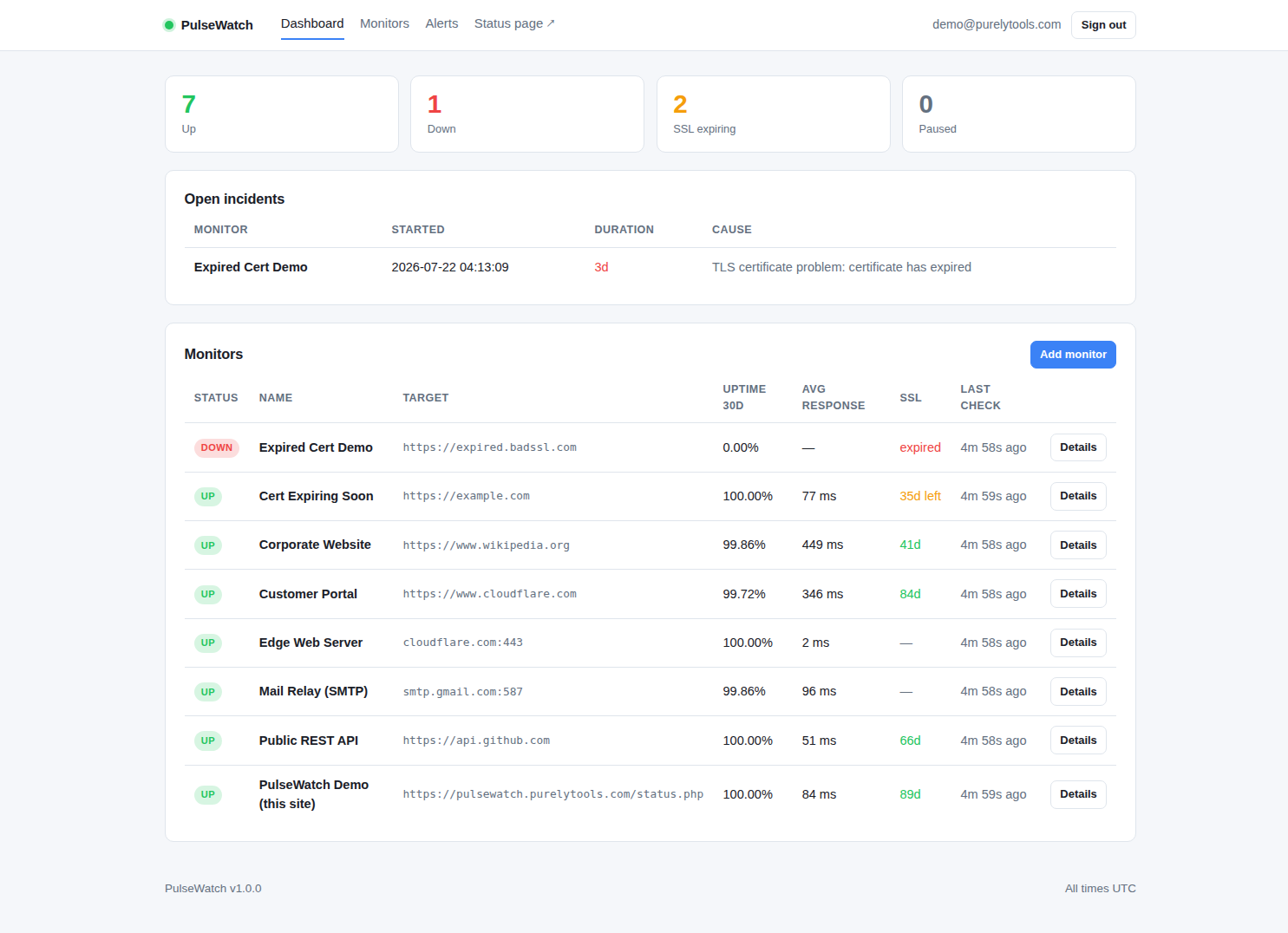
The dashboard — every monitor, its uptime, response time and certificate status on one screen.
Self-hosted uptime monitoring that also watches your TLS certificates — so a site never goes dark because a certificate quietly lapsed on a Sunday. Install it once on your own server. No subscription, no monitor limits, no third party holding your data.
Demo signs in with demo@purelytools.com —
credentials are on the page. One payment · lifetime use on one installation · full source included
The dashboard — every monitor, its uptime, response time and certificate status on one screen.
By then your customers already know. An expired certificate takes a site offline just as completely as a crashed server — browsers refuse the connection outright — and unlike a hardware failure, it is entirely predictable. PulseWatch reads the certificate on every HTTPS check, records its expiry date and issuer, and warns you while there is still time to renew.
Four check types, one cron job.
Status code, response time, redirects followed. Optional keyword matching catches the case a page returns 200 OK while rendering an error — the failure most monitors miss entirely.
Records expiry date and issuer on every check and warns on a window you choose. A valid-but-expiring certificate warns without falsely reporting an outage; an expired one is reported with its exact expiry date.
Anything that listens — SMTP, MySQL, SSH, Redis, a game server. Any host, any port.
Round-trip latency for hosts with no HTTP interface. (Blocked on many shared hosts — HTTP and port checks work everywhere.)
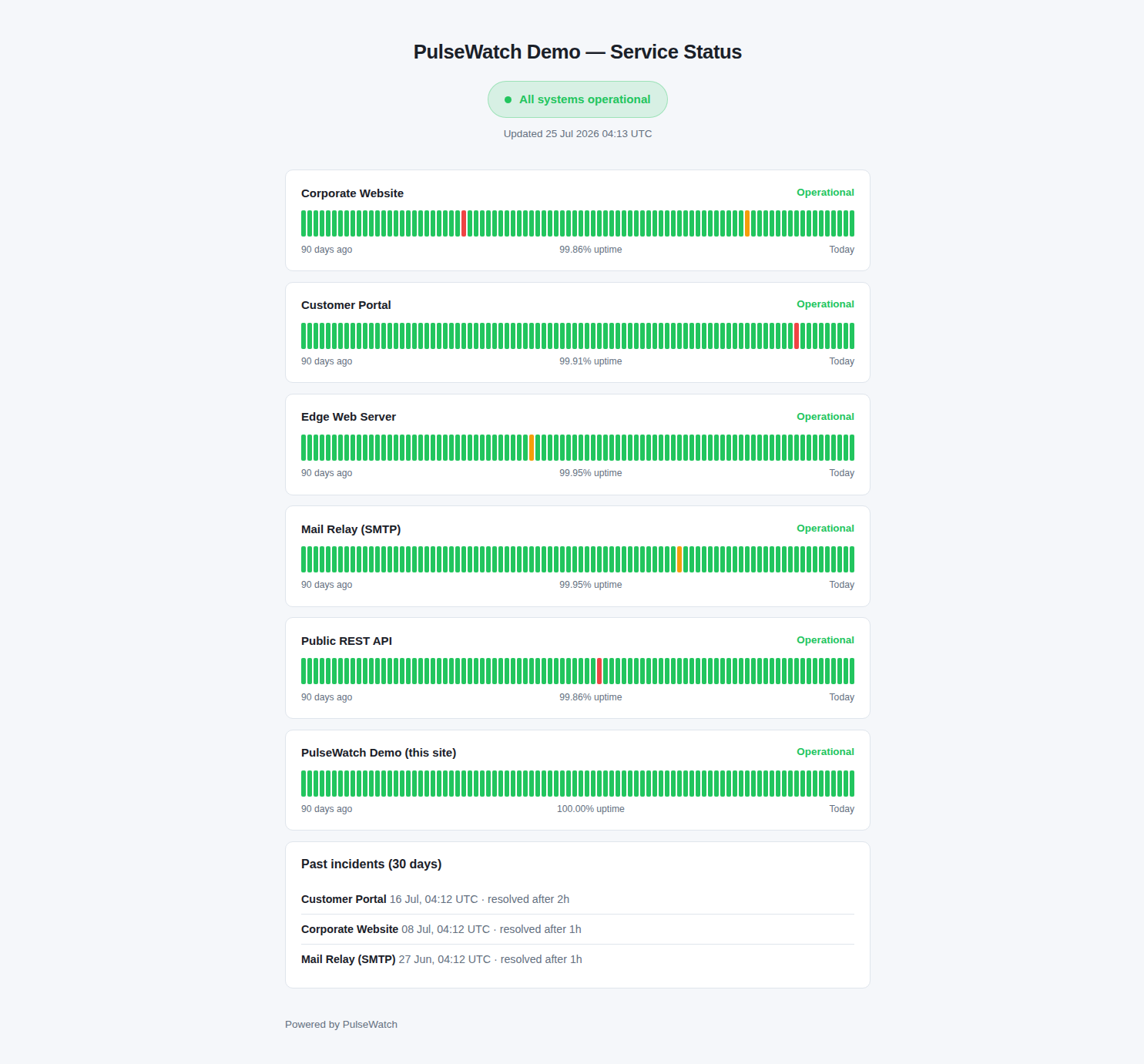
Publish exactly what you choose. Ninety days of history per service, an incident log, and current state — with no targets, error messages or internal detail exposed. Monitors you keep private never appear.
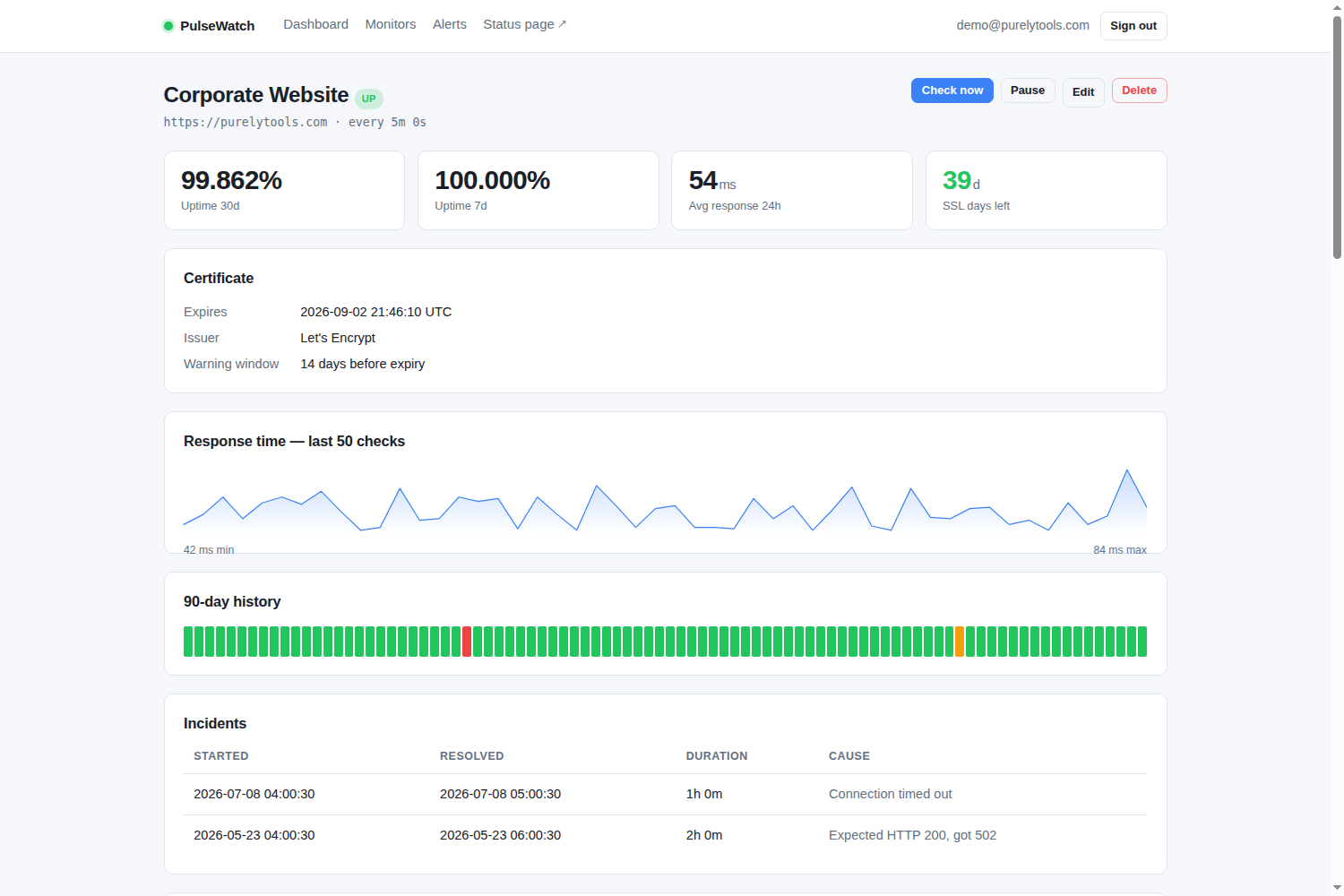
Per-monitor detail — uptime, live certificate data, response-time trend, history and incidents.
Down, recovery and certificate-expiry alerts. Configure as many destinations as you like — a channel that fails is logged and skipped, never stalling the check loop.
Straight to your inbox or an alias.
A bot token and chat id — about two minutes to set up.
An incoming webhook URL into any channel.
JSON POST to your own endpoint for anything else.
The kind of software you install and stop thinking about.
Plain PHP 8 and MySQL. Nothing to npm install, no build step,
no dependency tree to keep patched. Upload it and it runs.
Full source, commented, roughly 2,000 lines. Modify it freely — it is your server and your code.
Prepared statements throughout, CSRF tokens on every form, strict Content-Security-Policy, application code outside the web root, and optional blocking of private-network targets.
A configurable failure threshold means a single dropped packet never raises an alert. Certificate warnings fire once a day, not once a check.
No subscription, no per-monitor pricing, no account to maintain with anyone.
one-time · USD · PulseWatch 1.0.0
Payment is handled entirely by PayPal — we never see your card details. Your download link is emailed to your PayPal address as soon as payment clears, usually within a minute.
Everything PulseWatch needs. The installer checks all of it and tells you what is missing before writing anything.
| PHP | 8.0 or newer, with pdo_mysql, curl, openssl and mbstring |
|---|---|
| Database | MySQL 5.7+, MariaDB 10.3+ or MySQL 8.x — an empty database and a user with privileges on it |
| Cron | One entry, running every minute. Nothing works without this. |
| Web server | Apache, Nginx or LiteSpeed, able to point a document root at a subdirectory |
| Shared hosting | Fine, provided you have cron and can set the document root. ICMP ping checks are often blocked on shared hosts; HTTP and TCP port checks are not. |
No. One payment, and the version you buy is yours permanently. It runs on your own server, so nothing can be switched off remotely.
Yes — the live status page
and the dashboard demo
are the real application, running on a real server, checking real hosts.
Sign in with demo@purelytools.com / demo1234.
The demo resets hourly, so click freely.
As many as your server handles. There is no limit in the software. A modest VPS copes comfortably with dozens of monitors on one-minute intervals.
No. There is no licence check, no activation, and no call to any server of ours. Once you have the files it runs entirely on its own — including completely offline on an internal network.
Yes, provided the licence transfers to that client and you keep no copy. Each additional production installation needs its own licence.
A ZIP containing the full commented source, the web installer, the database schema, and HTML documentation covering installation, configuration, alert setup, webhook payloads and troubleshooting.
Check the requirements above first — they are the honest list, and the installer verifies every item before it writes anything. If you hit a genuine defect, email support@purelytools.com with your PHP version, database version and relevant error-log lines.
This is version 1.0.0, the first release. Fixes for genuine defects are provided to buyers. There is no update subscription and no promise of a fixed release schedule — buy it for what it does today.
Install it this afternoon. Roughly three minutes from upload to first check.